How Secure Is Cloud Video Surveillance for Businesses and Homes?


Security systems are evolving rapidly, and many businesses and homeowners are moving away from traditional recording devices.
when implemented correctly, cloud video surveillance provides flexible, remote-access monitoring with strong data protection and scalable storage. Unlike traditional systems that rely on local hardware, cloud-based surveillance stores footage securely online and allows users to access recordings anytime from almost anywhere.
In this article, we’ll explore how cloud-based monitoring works, its key advantages, and why it is becoming a preferred security solution for modern environments.
What Is Cloud Video Surveillance?
Cloud video surveillance is a modern security approach where camera footage is transmitted and stored in secure online servers rather than local recording devices.
Instead of relying solely on physical storage systems, video data is automatically uploaded to remote servers, allowing authorized users to view live or recorded footage through mobile apps, browsers, or monitoring platforms.
Key Components of Cloud-Based Surveillance Systems
A typical cloud surveillance setup includes:
IP cameras connected to the internet
Cloud servers that store and process footage
Mobile or web applications for remote access
Security encryption that protects transmitted data
These components work together to create a centralized and accessible monitoring system.
Why Businesses and Homes Are Switching to Cloud Surveillance

Traditional security systems often depend on local hardware that can be damaged, stolen, or difficult to maintain. Cloud systems solve many of these limitations.
Here are several reasons organizations and homeowners are adopting cloud monitoring:
1. Remote Access From Anywhere
Users can monitor their property through smartphones, tablets, or computers. This is especially valuable for business owners who manage multiple locations.
2. Reliable Video Storage
Cloud systems remove the need for bulky hardware by using online cctv storage solutions. Footage is automatically stored in secure data centers, reducing the risk of losing important recordings.
3. Automatic Updates and Maintenance
Cloud-based systems often update automatically, ensuring the latest security features and software improvements are always active.
4. Scalability
As security needs grow, new cameras or features can be added without replacing existing infrastructure.
Key Security Features of Cloud Surveillance Systems
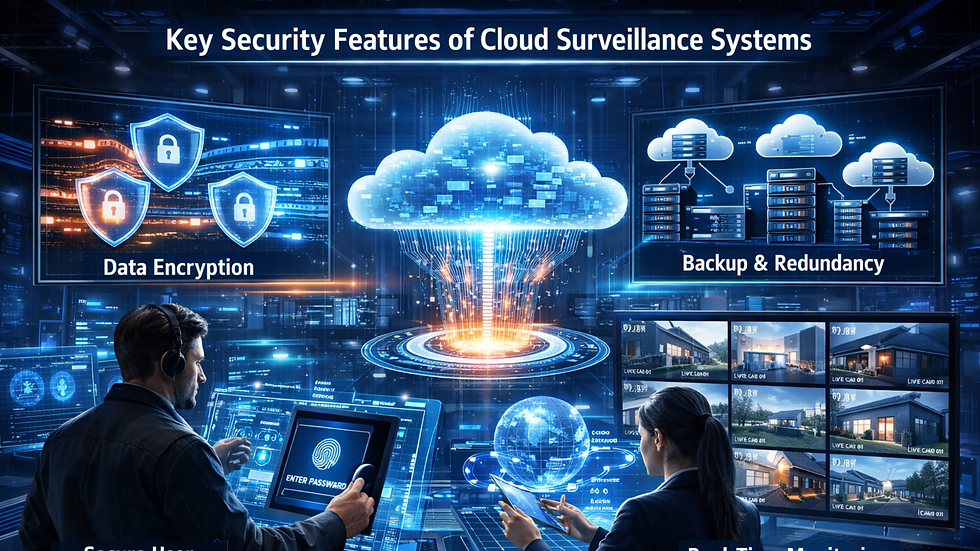
Many people worry about storing sensitive footage online. However, modern surveillance platforms are designed with advanced security measures to protect data.
Data Encryption
Most cloud systems encrypt video data during transmission and storage, preventing unauthorized access.
Secure User Authentication
Access to footage typically requires login credentials, multi-factor authentication, or role-based permissions.
Backup and Redundancy
Cloud storage providers often maintain multiple backup copies of footage in separate data centers to prevent data loss.
Real-Time Monitoring
Live video feeds allow users to respond immediately to unusual activities.
These security layers ensure that surveillance data remains protected while still being easily accessible to authorized users.
How Smart Technology Enhances Cloud Surveillance
Modern security systems are becoming more intelligent through artificial intelligence and automation.
One of the most important advancements is the integration of smart surveillance technology. This technology allows cameras to automatically analyze video footage and identify unusual patterns or suspicious activity.
Examples of intelligent features include:
Motion detection alerts when unexpected movement occurs
Object recognition that identifies people, vehicles, or packages
Behavior analysis that detects suspicious actions
Automated notifications sent directly to security teams or homeowners
These capabilities transform surveillance cameras from passive recording devices into proactive security tools.
Benefits for Businesses and Homeowners
Cloud-based monitoring systems provide several advantages for both residential and commercial environments.
Key Benefits
Centralized monitoring: Manage multiple cameras from one platform
Reduced hardware costs: Less dependence on physical recording equipment
Improved security: Advanced analytics and automated alerts
Flexible access: View footage remotely from any device
Better reliability: Cloud backups prevent footage loss
These benefits make cloud surveillance a practical and efficient solution for modern security challenges.
Summary
Security technology continues to evolve as organizations and homeowners demand smarter, more reliable monitoring solutions. cloud video surveillance systems offer flexible access, secure data storage, and advanced analytics that traditional systems cannot easily provide.
By combining cloud storage with intelligent video analysis, these systems help detect threats faster, improve monitoring efficiency, and ensure valuable footage remains accessible when needed.
As technology advances further, cloud surveillance will likely play an even greater role in shaping the future of security.
Frequently Asked Questions (FAQ)
1. Is cloud surveillance safer than traditional CCTV?
Cloud systems often include stronger encryption, automatic backups, and remote monitoring capabilities, making them highly secure when properly configured.
2. Can cloud cameras work without internet access?
Most cloud-based systems require internet connectivity to upload footage and provide remote access.
3. How long is footage stored in the cloud?
Storage duration depends on the service plan, but many providers offer retention periods ranging from a few days to several months.
4. Are cloud surveillance systems expensive?
Costs vary depending on storage plans and camera numbers, but they often reduce hardware maintenance expenses.
5. Who can access cloud surveillance footage?
Only authorized users with proper login credentials or permissions can view stored footage.


Comments